 Isolatedd
 Profile guides
Change colors and visual effects
Tune blur, opacity, backgrounds, glow, and username effects.
Updated October 10, 2026
Start with the basic controls
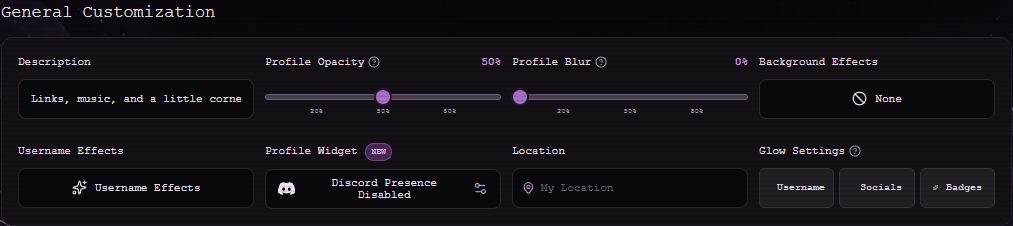
Under General Customization, Profile Opacity and Profile Blur change the card over its background. Background Effects and Glow Settings let you adjust the rest of the atmosphere.
- Open Customize Profile → General Customization.
- Set Profile Opacity below 100% if you want the blur to show.
- Pick a Background Effect and choose where glow appears.
- Save Changes, then preview the page.
Change your username effect
Select Username Effects to preview the available animations. Some effects are reserved for Premium; the editor marks them before you apply them.
Note
Strong effects can reduce readability. Check the result at phone size.
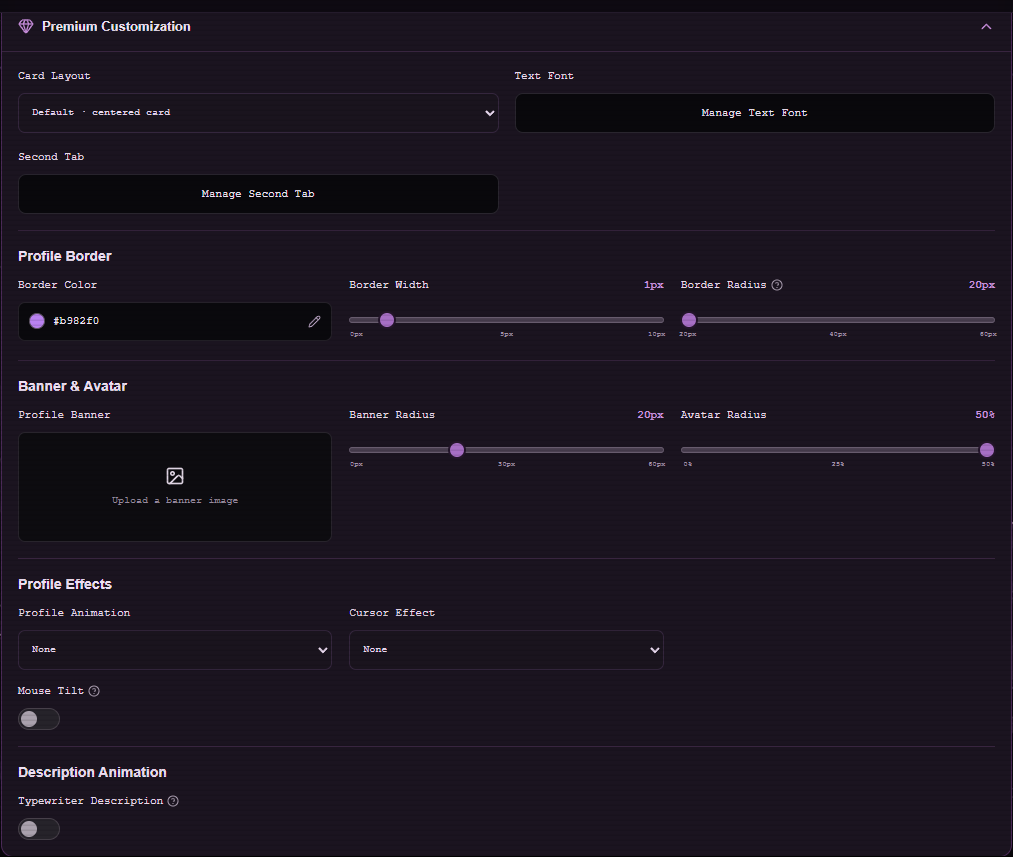
Premium controls
Premium Customization adds more card layouts, profile animation, border controls, cursor effects, and additional background styles. Open that section only if Premium is active on your account.