 Isolatedd
 Profile guides
Upload backgrounds and avatars
Use real images or a video as your profile background.
Updated October 10, 2026
Add a background
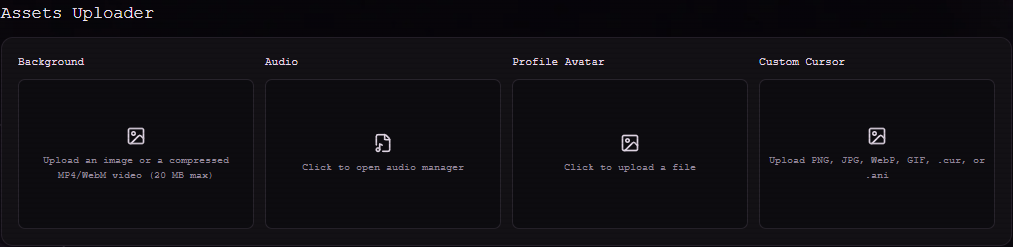
Open Customize Profile → Assets Uploader → Background. Isolatedd accepts PNG, JPEG, and WebP images, plus compressed MP4 or WebM video up to 20 MB.
- Click Background and select your image or video.
- Wait for the upload to complete. A preview replaces the empty upload tile.
- Open My Page to see how the media sits behind your profile card.
Add or change an avatar
Use Profile Avatar in the same section. Static PNG, JPEG, and WebP images work on Free. Uploading your own animated GIF avatar is a Premium feature.
- Choose Profile Avatar and select an image.
- Adjust the crop when the avatar editor appears.
- Save the crop and preview your public page.
Note
Use an image you have permission to publish.
Remove old media
Each populated upload tile offers a remove control. If you replace a video, let the new upload finish before refreshing the page.