 Isolatedd
 Manage account settings and sessions
Find identity, language, connections, and session controls.
Updated October 10, 2026
General Information
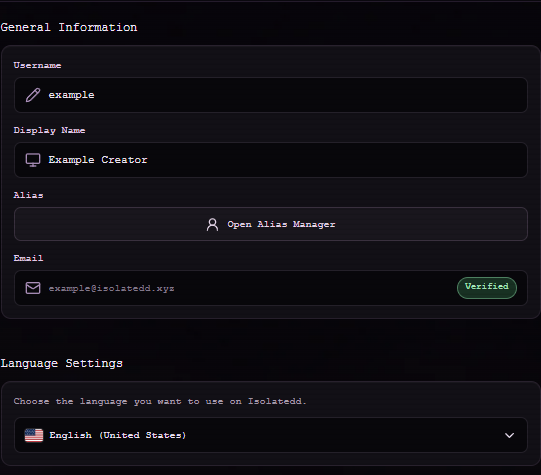
Open Account Settings from the dashboard sidebar. General Information contains account identity controls and a shortcut to Alias Manager. Language Settings changes the language used in the interface.
Review signed-in devices
In Security Settings, select Session Management to review active sessions. You can invalidate a session you do not recognize.
- Open Account Settings → Security Settings.
- Select Session Management.
- Review device and browser details before ending a session.
Multi-factor authentication is shown as unavailable in the current interface. Do not rely on it as an enabled protection.
Connections
Connections may offer Discord linking when the integration is configured. A disabled control means the connection is not currently available. Google and Discord login are not offered as active sign-in methods in this version.