 Isolatedd
 Account & Premium
Invite friends and view rewards
Find your invite link and see referral progress.
Updated October 10, 2026
Find your invite link
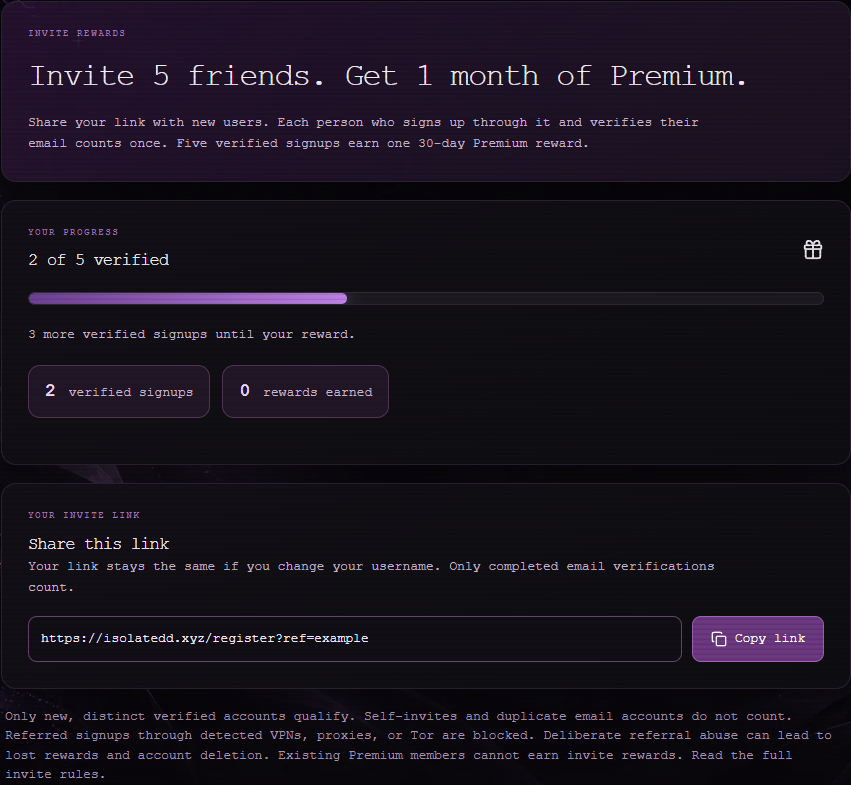
Select Invite Rewards in the dashboard sidebar. Share the link shown there with someone who wants to create their own account.
Check progress
The page shows your invite activity and any earned reward. A signup must meet the program requirements before it counts.
Note
Creating extra accounts or using a common VPN IP to manipulate referral rewards violates the program terms and can cause a signup to be blocked or an account to be removed.
Questions about a referral
If a legitimate signup was blocked or did not count, open a support ticket and include your username and the approximate time. Do not send the invitee's password or private code.