 Isolatedd
 Account & Premium
Change your username or display name
Know which name changes your URL and where to edit each one.
Updated October 10, 2026
Username versus display name
Your username forms your public URL: isolatedd.xyz/username. Your display name is the name shown on the profile card and can differ from the URL.
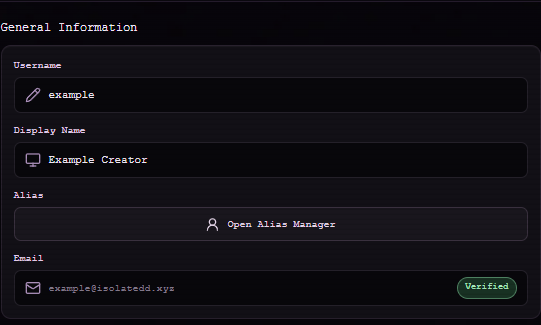
Make a change
Open Account Settings → General Information and select Username or Display Name. The username dialog checks whether a new name is available and shows any change limit or cooldown before you save.
- Choose the field you want to change.
- Enter the new value and review any availability or timing message.
- Save the change, then open your public profile to confirm it.
Note
After a username change, update links you posted elsewhere. An alias can provide another route to your page.