 Isolatedd
 Getting started
Add social links and custom URLs
Connect your social profiles, add a custom destination, and choose their order.
Updated October 10, 2026
Add a social profile
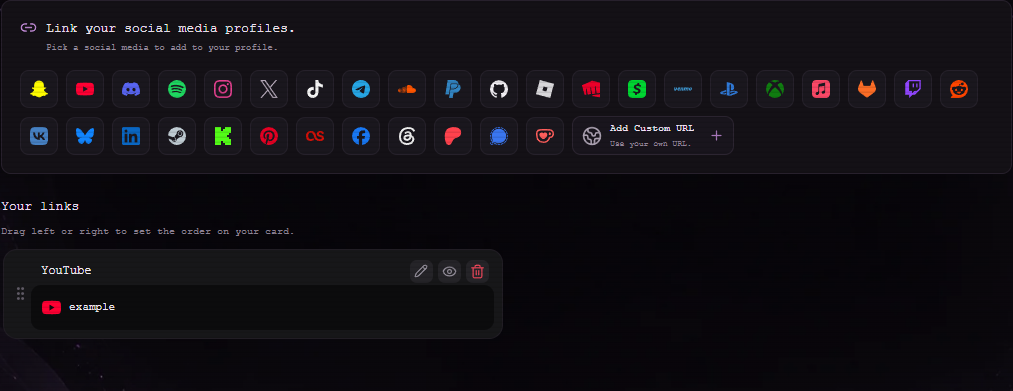
Select Links in your dashboard. Pick a service icon, then enter the profile URL and the label you want people to see.
- Click a platform icon in Link your social media profiles.
- Keep Social Mode on Link and paste your profile URL.
- Choose Add. The link appears in Your links and on your public card.
Use a custom URL or text
Choose Custom URL for a destination that is not in the platform list. You may upload a small custom icon. For supported platform icons, Social Mode can also show hover text instead of opening a URL.
- Choose Custom URL and enter a full https:// address.
- Optionally add a PNG, JPEG, or WebP icon under 3 MB.
- Save and use the preview button to confirm the destination.
Note
Do not use a link to a destination you do not control or trust.
Reorder or change links
Your links can be dragged left or right using the handle. Use the pencil to edit a label or URL, the eye to preview, and the trash icon to remove one. The current editor accepts up to 12 links.